

Backup Camera Upgrade Cost: What You'll Pay

A cracked bumper, a tight parking spot, or a hitch hidden below the tailgate is usually all it takes to make a backup camera feel less like a luxury and more like a necessary upgrade. Backup camera upgrade cost can range from a few hundred dollars for a straightforward setup to well over $1,000 for an integrated system with factory-style fitment, a new head unit, and professional installation.
The right number depends less on the camera itself than on what it needs to work with. Your vehicle's year, factory radio, trim level, desired screen, and wiring path all affect the finished price. A good setup should give you a clear view behind the vehicle every time you select reverse - without loose wiring, a poorly aimed camera, or a screen that feels like an afterthought.
Typical Backup Camera Upgrade Cost
For most vehicles, an installed aftermarket backup camera setup falls into one of three practical ranges. A basic camera added to an existing compatible screen may run roughly $250 to $500 installed. A camera paired with a mirror monitor or standalone display is commonly in the $350 to $700 range. Replacing an older factory radio with a touchscreen head unit that adds a backup camera, Bluetooth, and Apple CarPlay or Android Auto often lands around $700 to $1,500 or more, depending on the vehicle and equipment.
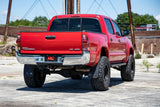
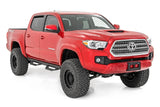
Those are working estimates, not a one-price-fits-all promise. A simple sedan with easy access behind the radio takes less labor than a newer truck with factory amplified audio, integrated climate controls, and a radio that communicates with other vehicle modules. Likewise, a camera on a compact car is a different job from routing and protecting wiring along the frame of a lifted pickup, work van, or Jeep.
The camera itself may only be a small portion of the total. The installation is where the system either becomes dependable or becomes one more thing you have to troubleshoot.
What Changes the Price of a Backup Camera Upgrade?
The display you plan to use
If your factory radio already accepts a camera input, adding a camera can be relatively efficient. Some factory systems need a vehicle-specific interface to activate the camera image, however, and that interface adds parts cost and installation time.
Vehicles without a usable factory screen need another place to display the image. A replacement head unit is often the best value when the factory radio is dated or you also want phone integration and better sound controls. A rearview mirror monitor can be a clean solution for vehicles where replacing the factory radio is not the priority. Small dash-mounted screens cost less, but they can look less integrated and may take up valuable windshield or dash space.
Camera type and mounting location
A universal license-plate camera is generally the most affordable choice. It works well for many daily drivers and can provide a sharp, wide rear view when installed and aimed correctly. Flush-mount cameras offer a cleaner custom appearance, but they require drilling and careful placement. Handle-mounted cameras are popular on trucks and SUVs because they can look close to factory equipment.
For truck owners who tow, a trailer camera or a camera aimed at the hitch can be worth the extra investment. That setup may cost more than a basic rear camera, but lining up a ball mount without a spotter is a real convenience. Commercial vehicles, vans, and larger SUVs may benefit from a wider-angle camera or multiple-camera system, especially where rear visibility is limited.
Vehicle-specific integration parts
Late-model vehicles frequently need more than a camera and a video cable. Dash kits, wiring harnesses, antenna adapters, steering-wheel-control modules, data interfaces, and camera retention modules can all be part of a clean radio replacement. These pieces allow the new system to work properly with factory features instead of leaving warning lights, lost controls, or an unfinished-looking dash.
This is one reason two vehicles can receive similar equipment and have very different installed totals. A basic older vehicle may need only power, ground, reverse trigger, and video routing. A newer vehicle may require programming and specialty interfaces just to retain the functions drivers use every day.
Wiring complexity and labor
A wired camera is usually the best choice for image stability and long-term reliability. It requires running cable from the rear of the vehicle to the display, protecting that wiring from moisture and abrasion, and connecting the camera to the reverse signal so it activates at the right time.
Wireless cameras can reduce installation labor in some applications, but they still need power. Their performance can also vary with distance, interference, and vehicle construction. For a vehicle you plan to keep, a properly wired system is usually the smarter spend.
Labor goes up when trim panels, headliners, tailgates, spare-tire carriers, or factory modules require extra care. Rust, prior aftermarket work, and damaged factory wiring can add time as well. A professional installer should inspect the vehicle before treating any online price as final.
When a New Head Unit Makes More Sense
If your vehicle has an aging factory radio, the cheapest backup camera route is not always the best overall value. Installing a camera to a tiny add-on screen may solve the rear-view problem, but it does not improve the rest of the driving experience.
A quality touchscreen radio can put the camera image where you expect it - in the center dash - while adding CarPlay, Android Auto, hands-free calling, music streaming, navigation options, and better audio adjustment. For drivers in Bear, Newark, Wilmington, and the surrounding area who spend significant time commuting, that combination can justify the larger initial investment.
There are trade-offs. Not every vehicle benefits from an aftermarket radio replacement, particularly if the factory screen controls major vehicle settings or has a large integrated display. In those cases, retaining the factory radio and adding the proper camera interface may be the cleaner approach. The best route is based on the vehicle, not on forcing every customer into the same package.
Do You Need a Professional Installation?
A backup camera kit may look simple in a box. The real work is hiding and securing the wiring, mounting the camera at the correct angle, creating weather-resistant connections, and making sure the display switches quickly and consistently into reverse.
Poor installation can lead to flickering video, a camera that works only sometimes, water intrusion, rattling trim, or wires exposed near moving tailgate parts. A camera mounted a few degrees too high may show plenty of horizon but miss the bumper, hitch, or obstacle directly behind the vehicle. Those details matter more than a few dollars saved on the initial install.
At Audio Jam, a camera upgrade can be planned around the way the vehicle is actually used, whether that means a daily-driver sedan, a work truck, a lifted Jeep, or a tow rig. The goal is not simply to add a screen. It is to build a system that looks right, operates reliably, and fits the vehicle's existing electronics.
How to Get an Accurate Installed Price
Start with the vehicle year, make, model, and trim. Then decide whether you want to keep the factory radio, add a standalone display, or upgrade to a touchscreen head unit. Mention any factory features you want to retain, such as steering-wheel controls, factory amplifiers, parking sensors, or OEM navigation.
It also helps to be clear about how you use the vehicle. A driver who only wants help backing out of a crowded parking lot has different needs than someone hooking up a boat trailer every weekend. If you have a truck cap, aftermarket bumper, lift kit, spare-tire carrier, or prior audio work, bring that up early. These details affect camera placement and labor.
Ask for an installed quote that identifies the camera, display solution, required integration parts, and labor. That makes it easier to compare options fairly. A lower product price can stop looking like a bargain once missing adapters, extra wiring, or correction work enter the picture.
A backup camera is one of those upgrades you notice every day, especially after the first time it saves you from guessing around a low obstacle or lining up a trailer by trial and error. Choose the setup that fits your vehicle and your routine, then have it installed in a way you will not have to think about again.