

Two Way Starter Remotes: Features and Buying Guide

In 2025, the global remote car starter market was valued at $1.8 billion and is projected to reach $2.9 billion by 2034, while two-way systems held 45.3% of the market in 2025. (Marketintelo's remote car starter market report) A two-way starter remote sends a command to your vehicle, then returns confirmation that the command was received and executed.
You press the button from a restaurant, office, or crowded parking lot. The vehicle is beyond sight, so a one-way remote leaves you wondering whether the engine started, whether the doors locked, or whether a safety condition stopped the command. A two-way remote closes that gap with feedback such as a beep, LED flash, vibration, icon, or LCD message.
That feedback is the practical difference. It doesn't make every system automatically app-controlled, and it doesn't eliminate the need for correct vehicle compatibility or professional installation. It gives you a self-contained communication link with your vehicle, which is exactly what many drivers want when they don't want a smartphone subscription involved.
Table of Contents
- Understanding Two Way Starter Remotes
- How Bi-Directional Remote Start Works
- Comparing One-Way and Two-Way Remotes
- Key Features to Evaluate Before Buying
- Installation and Vehicle Compatibility
- Real-World Uses and Everyday Limitations
- Common Issues and Practical Fixes
- Buying and Installation Recommendations
Understanding Two Way Starter Remotes
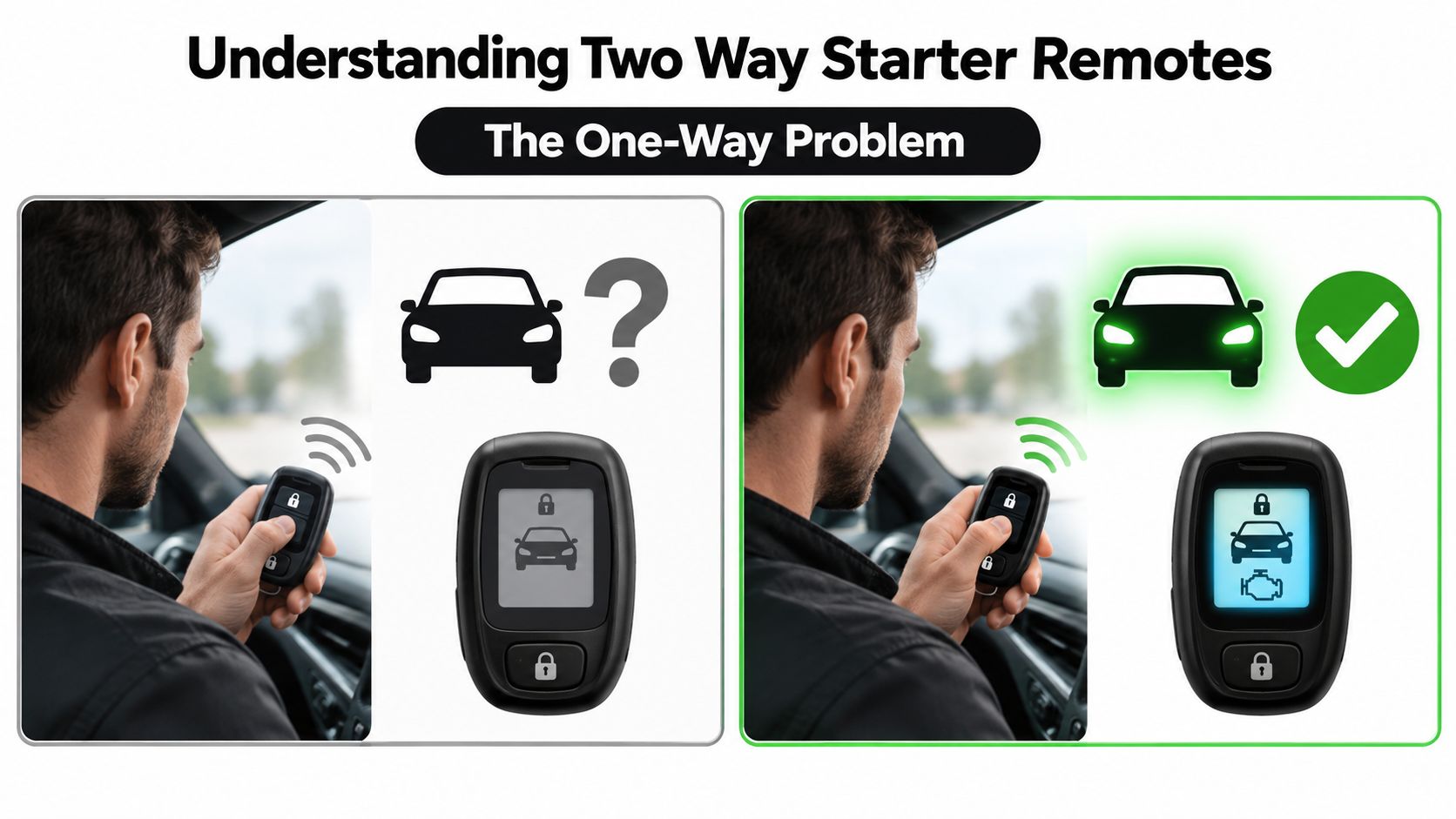
At a stadium parking lot on a cold morning, your vehicle may sit several rows away and out of sight. You press remote start, yet the engine sound never reaches you. A one-way remote leaves you guessing until you walk over. A two-way starter remote sends a status response to the fob, so you can see whether the vehicle accepted and completed the request.
The remote sends the command to an installed control module. That module works with the vehicle's ignition, security, door, brake, and hood inputs as the system requires. After the vehicle responds, the fob presents the result through an audible alert, LED pattern, vibration, or display message. (Ralph's technical explanation of one-way and two-way starter technology)
The one-way problem
A one-way transmitter can send a start, lock, or trunk command, but it cannot confirm that the vehicle received it. Repeated button presses often create confusion and may send an unintended command. Two-way feedback gives you a clear reason to stop pressing and check the reported status.
The return signal can also identify the reason for a failed request. The fob may report an open hood, an unsuccessful door lock, or a failed start. That information matters when the vehicle is out of sight, the parking area is noisy, or checking the car immediately is inconvenient.
Use the feedback as a confirmation tool, not as proof that every condition is permanently satisfied. A start response confirms what the system detected at that moment. It does not replace correct vehicle programming, a working safety input, or a proper installation.
A dedicated two-way remote usually communicates with the vehicle by radio through its antenna and control module. It does not require an internet connection or smartphone app for basic confirmation. Range still depends on the remote, antenna placement, building materials, terrain, and radio interference. An app may be available, but choose a standalone fob if you want confirmation without a subscription or phone. (TA Electronics' guide to standalone two-way remotes)
| Remote | Vehicle | Feedback |
|---|---|---|
| Sends a start or lock command | Receives and processes the request | Beep, LED, icon, vibration, or LCD status |
| Works through a radio transmitter | Uses the installed module and vehicle interfaces | Confirms success or reports a problem |
| May be integrated with a factory-style fob | Depends on vehicle programming and installation | Works without requiring app control |
How Bi-Directional Remote Start Works
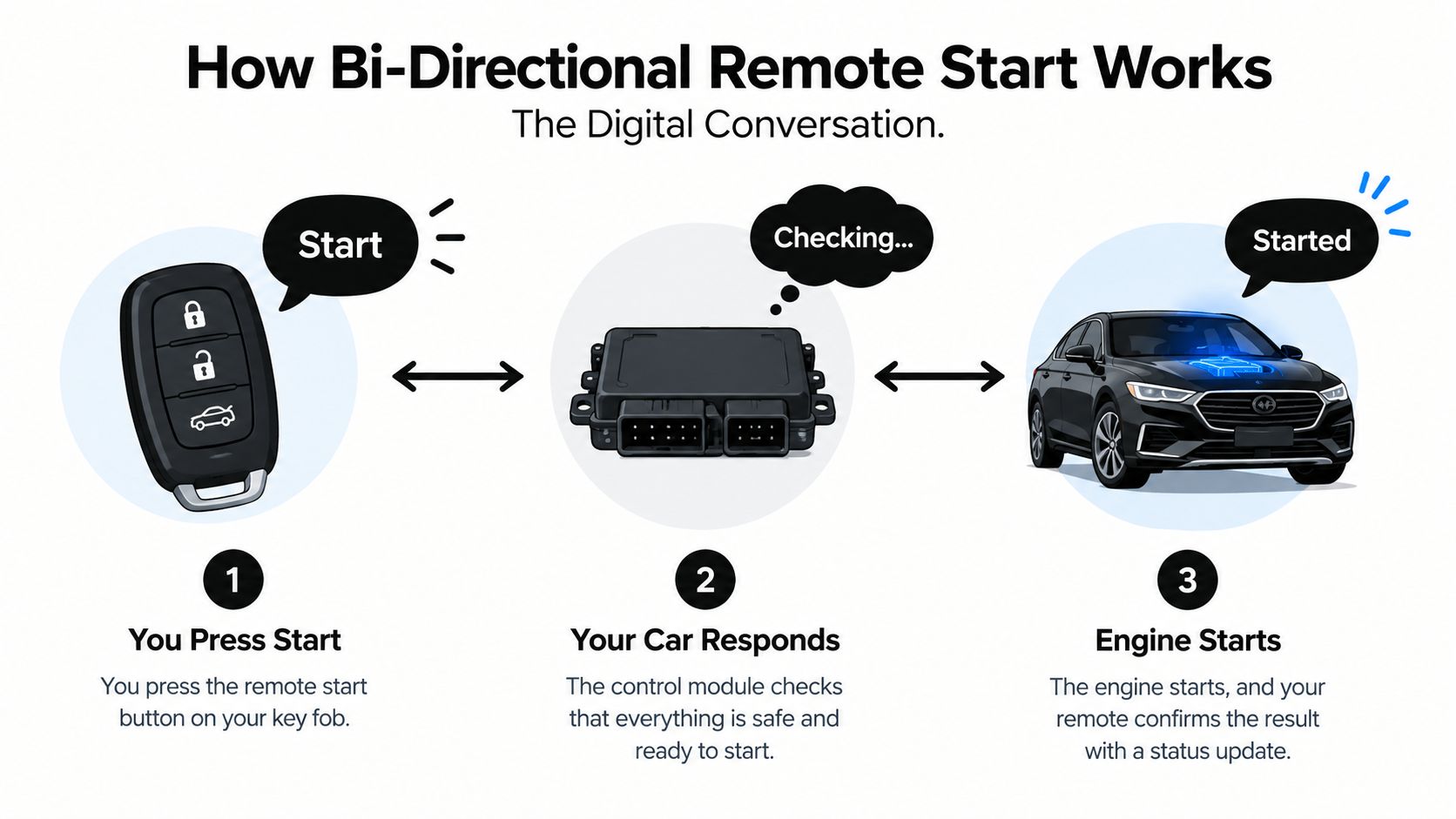
Think of the system as a short conversation rather than a single button press.
First, the remote says, “Start.” The vehicle's control module listens for an authenticated command, checks the conditions programmed into the system, and attempts the requested action. The module then sends information back to the fob, which reports what happened.
Three parts of the exchange
- The fob transmits. You press the start, lock, or auxiliary button. The fob sends a radio signal to the vehicle's antenna.
- The module checks and acts. The control module evaluates the command against the vehicle's security and safety inputs. Depending on the application, it may interact with the immobilizer, ignition, accessory circuits, door locks, brake signal, hood pin, tachometer signal, or vehicle data network.
- The vehicle reports back. The remote receives a status signal and shows the result with a tone, LED, vibration, icon, or LCD message. A confirmation means the system received and executed the command. It doesn't guarantee that the engine will continue running indefinitely if a safety condition appears afterward.
Most systems also include safety shutdown logic. An open hood, brake input, failed tachometer reading, security fault, or other programmed condition can stop remote operation. The exact wiring and programming vary by vehicle, so there isn't one universal installation method that applies to every car.
Missing confirmation doesn't always mean the starter is defective. A weak remote battery, radio congestion, poor antenna placement, vehicle programming issue, or distance through dense construction can interrupt the return path. Replace the remote battery first if appropriate, then check the system's status indicators before assuming a component has failed.
This video gives a visual overview of the remote-start concept and the interaction between the fob and vehicle system:
| Step | Action | Result |
|---|---|---|
| Command | Press start or another programmed button | The fob transmits a request |
| Verification | The vehicle module checks programmed conditions | The vehicle accepts, rejects, or stops the action |
| Confirmation | The module sends status information back | The fob displays or announces the result |
Comparing One-Way and Two-Way Remotes
A one-way remote is a transmitter. A two-way remote is a transmitter and a receiver. That distinction matters whenever you can't see or hear the vehicle.
One-way systems remain sensible for drivers who park close to home, have a clear view of the vehicle, and only need basic starting or locking. They generally offer a simpler interface and fewer electronics in the fob. The trade-off is uncertainty. If the command fails, the remote won't tell you.
Two-way systems add feedback hardware, receiver functionality, programming, and a fob battery that supports alerts or a display. Those additions usually increase system cost and complexity. In return, you can verify a completed action without walking to the vehicle, and some systems can report door, trunk, alarm, or engine status when the vehicle supports those functions.
Practical rule: If your vehicle is regularly parked outside your line of sight, pay for confirmation. If you can see it from the kitchen window, a one-way system may be enough.
Feedback alone doesn't make a system secure. Security depends on the system's authentication and communication design, as well as installation quality. Ask the installer what security protocol the specific product uses rather than assuming that a two-way display means stronger protection.
The user interface also matters. A basic LED-and-beep remote can be quick to operate, while an LCD fob offers more information at a glance. A rechargeable remote needs charging discipline, and a replaceable-battery model needs timely battery replacement. Neither design is universally better.
| Feature | One-Way Remote | Two-Way Remote |
|---|---|---|
| Sends commands | Yes | Yes |
| Confirms vehicle response | No | Yes |
| Basic operation | Simple | More feature-rich |
| Status information | Limited or unavailable | Available when supported by the vehicle and system |
| Battery responsibility | Lower communication demand | Battery supports returned alerts and status |
| Best fit | Visible, nearby parking | Out-of-sight parking and confirmation-focused users |
| App required | No | No, unless you choose app-based control |
Key Features to Evaluate Before Buying
A two-way starter remote earns its place when its controls match your vehicle, parking routine, and tolerance for extra maintenance. Compare how you will use it, not just the display size or advertised range.
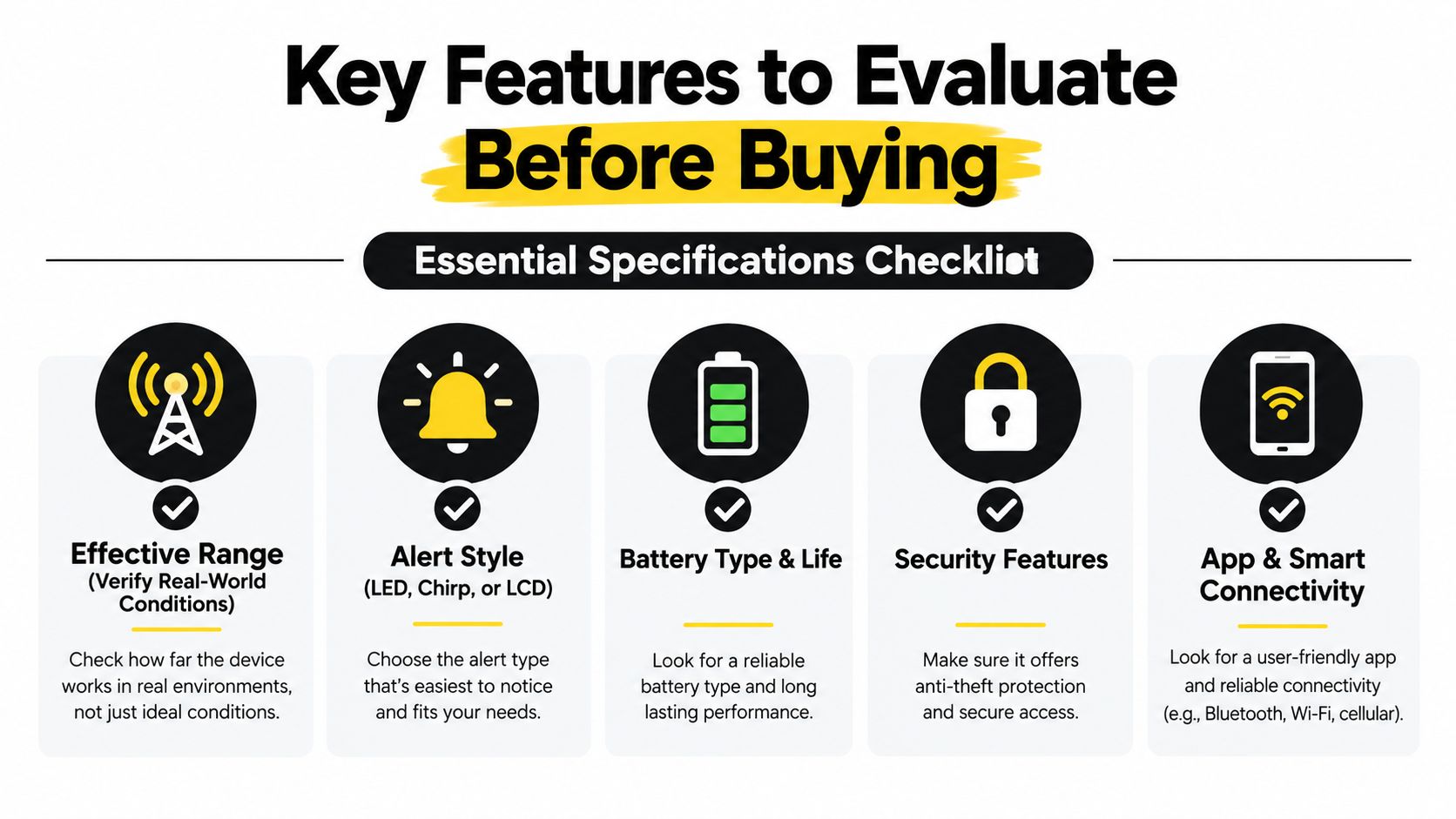
Effective range in your environment
Range claims assume favorable conditions. Garages, concrete structures, hills, nearby transmitters, and poor antenna placement can reduce practical performance. Test the expected distance from your driveway, workplace, apartment lot, or regular shopping area. A smaller stated range that works reliably is more useful than a larger claim limited to open space.
Feedback that fits your habits
Choose an alert style you can recognize quickly.
- LED feedback is discreet and simple, but you must learn the flash patterns.
- Audible chirps work when you can hear the fob, though traffic or a crowded building can mask them.
- Vibration suits quiet environments and meetings.
- LCD text or icons show status most clearly, especially for door, trunk, or shutdown reports supported by the vehicle.
The right interface is the one you can interpret accurately under pressure. A feature-heavy remote creates little value if its alerts are confusing.
Security and communication
Check whether the product uses rolling codes, encryption, or another authentication method intended to block unauthorized replay of commands. Manufacturers implement these features differently. Treat “two-way” as a communication description, then verify the security design of the specific model.
Vehicle integration
Confirm that the remote supports the factory locks, trunk release, alarm status, immobilizer functions, and other features you expect to use. A starter that runs the engine but interacts poorly with the factory security system can turn convenience into repeated troubleshooting. Ask the installer to identify every supported function before purchase.
App connectivity as an option
Cellular app control extends operation beyond normal fob range, but it adds dependence on a phone, network availability, and possibly a subscription. A standalone fob still provides confirmation without an app, so it can remain the primary control surface or serve as a backup when cellular coverage is unreliable. For app-independent operation, see TA Electronics' explanation of app-independent two-way operation.
Installation and Vehicle Compatibility
Compatibility starts with the exact vehicle, not the brand family. Confirm the year, make, model, trim, transmission, and starting method before buying. Push-button start, factory immobilizers, hybrids, diesel systems, manual transmissions, and vehicles with complex alarm networks can require different modules or programming.
Verify the vehicle interface
Modern vehicles often use data networks to manage ignition, accessories, door locks, and security. An interface module may be required to translate the remote starter's commands into signals the vehicle understands. The module must also preserve factory functions without creating warning lights, alarm faults, or unreliable starting behavior.
Ask the installer these questions before approving the job:
- Does this exact system support my vehicle's immobilizer?
- Will the factory key fob continue to lock and open the vehicle?
- Can the system report door, hood, trunk, and shutdown status?
- What happens if the hood is open or the brake is pressed?
- How will you test the remote's confirmation after installation?
- Will the original key remain available for emergency operation?
Decide whether DIY is realistic
A basic electrical accessory may be approachable for an experienced installer, but remote start is not a universal wiring project. Incorrect connections can affect ignition, security, data communication, or safety inputs. Airbag circuits and unrelated factory wiring should never become part of trial-and-error troubleshooting.
Professional installation makes more sense when the vehicle has push-button start, a data-bus interface, an immobilizer bypass, a hybrid drivetrain, or a factory alarm that must remain fully functional. The installer should verify the system before returning the vehicle, including start success, shutdown behavior, door status, hood safety input, lock operation, and confirmation alerts.
A clean installation also matters for long-term diagnosis. Secure antenna placement, protected wiring, correct module programming, and documented connections make future service much easier than a rushed installation hidden behind the dash.
Real-World Uses and Everyday Limitations
A two-way remote is most useful when checking the vehicle is inconvenient. Leaving a noisy restaurant, you can press lock and receive confirmation without returning to the car. In a stadium lot, the fob can report whether the engine accepted the start request. On a dim street, a status alert can confirm that the doors locked before you walk away.
Choose the alert type for the setting. An audible tone can cut through traffic noise, while vibration is less disruptive during a meeting. An LCD message or icon gives more information than a single chirp, especially when the vehicle reports a failed start or an open entry point.
The feedback path depends on both sides of the system. The remote needs a charged battery, and the vehicle needs a usable radio path through its antenna. A depleted fob battery can remove confirmation even when the vehicle-side equipment remains installed and able to receive commands.
Confirmation is a convenience signal, not a replacement for judgment. If the vehicle is in an enclosed area, the engine sounds unusual, or conditions are uncertain, verify the vehicle directly.
Cold weather can make these limits more obvious because remote and vehicle batteries may perform poorly. A delayed alert does not automatically mean the engine failed, while a successful alert does not guarantee uninterrupted operation if a safety input changes.
Before buying, test the system from the places where you park. Confirm that the remote reports lock status and failed starts without requiring an app. Also check the vehicle's range, antenna placement, and compatibility, since an unreliable confirmation feature removes much of the practical benefit of a two-way starter.
Common Issues and Practical Fixes
Start with the symptom, not the assumption that the entire system needs replacement. Many two-way starter remote problems come from a depleted fob battery, a lost pairing state, blocked signal path, or vehicle input that is doing exactly what it was programmed to do.
| Symptom | Likely Cause | Recommended Action |
|---|---|---|
| No response from the fob | Weak battery, locked buttons, lost synchronization, or remote fault | Replace the battery if applicable, then follow the model-specific resync procedure |
| Command works but confirmation is delayed | Signal obstruction, interference, antenna placement, or low fob battery | Test from a clearer location, replace the battery, and have antenna placement inspected |
| False hood or door alert | Misadjusted hood pin, door-status input, or vehicle data interpretation | Don't bypass the safety input. Request vehicle-specific diagnosis |
| Reduced range | Physical obstruction, radio congestion, antenna issue, or transmitter battery | Test in an open area and inspect the antenna and battery |
| Remote start stops quickly | Brake, hood, tachometer, immobilizer, or security input problem | Stop repeated attempts and have the installer check programming and fault codes |
| Locks or trunk behave inconsistently | Data-module mismatch or incorrect vehicle programming | Confirm firmware and vehicle profile with a qualified technician |
Safe checks you can perform
Replace the remote battery with the correct type and observe whether the alert pattern changes. Keep the fob away from other transmitters and test from a location with fewer walls or metal barriers. If the manufacturer provides a resynchronization sequence, follow that procedure exactly instead of guessing.
Don't cut wires, bypass the hood pin, or repeatedly override a shutdown message. Those actions can hide a real safety fault and can create a more expensive electrical problem.
Know when to escalate
A technician should inspect the installation when the problem involves an immobilizer bypass module, CAN-bus integration, tachometer learning, security fault codes, or inconsistent ignition behavior. Bring the remote, original key, product documentation, and a clear description of the alert pattern. The exact LED sequence or LCD message can point to the problem faster than a general complaint that “remote start doesn't work.”
Buying and Installation Recommendations
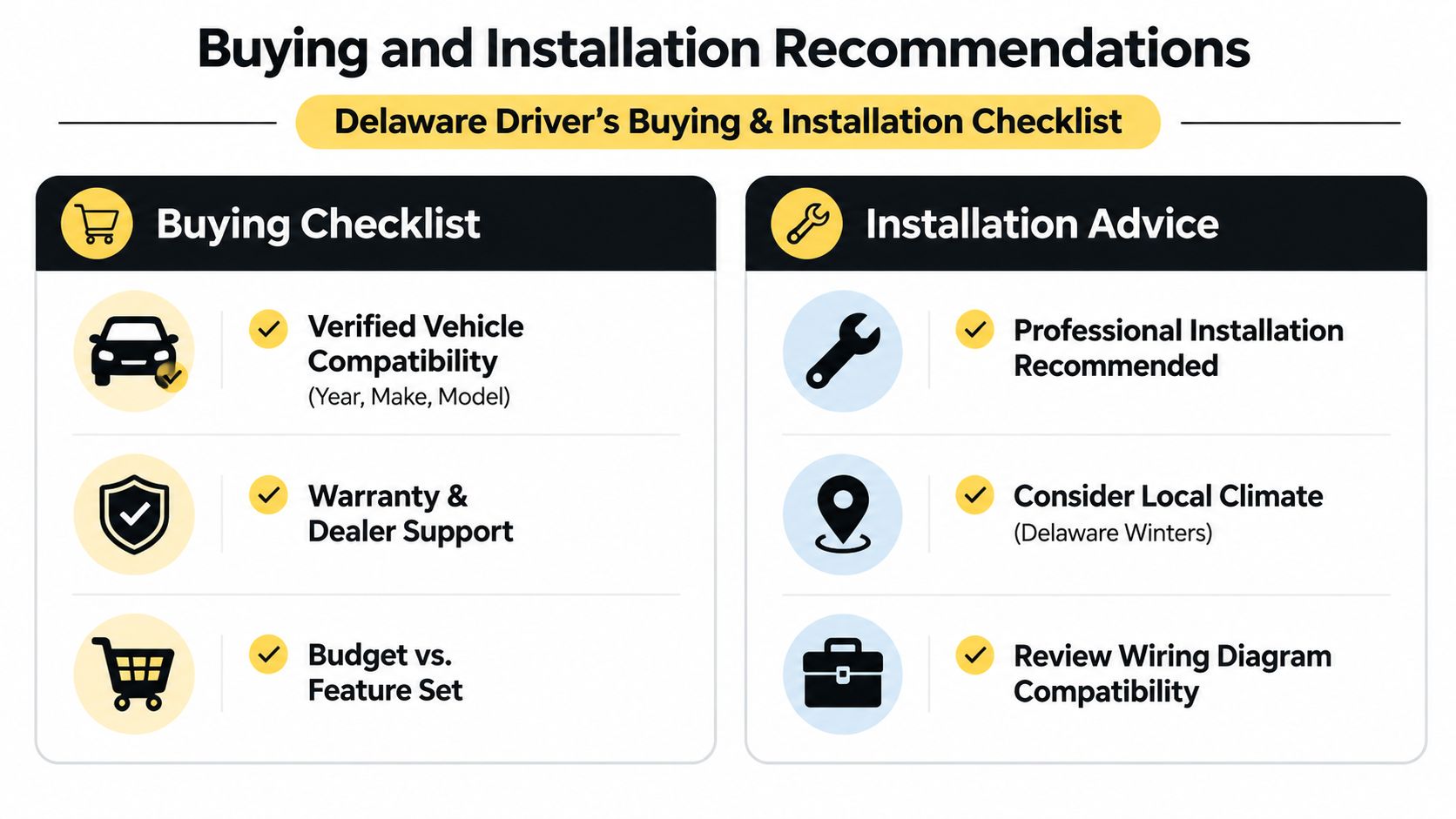
For Delaware drivers, the correct buying order is simple. Verify the vehicle first, choose the feedback style second, then compare range, security communication, factory integration, and app options. Don't buy a remote starter because the fob looks impressive if the system doesn't support your exact vehicle configuration.
Use this checklist before placing an order:
- Confirm fit: Match the exact year, make, model, trim, transmission, starting system, immobilizer, and factory alarm.
- Choose useful feedback: Select LED, chirp, vibration, or LCD alerts based on where you park and what you'll notice.
- Check factory retention: Make sure the original keyless entry, trunk release, alarm, and safety shutdown functions remain available where supported.
- Ask about communication security: Verify the product's authentication and encryption approach with the installer.
- Plan for maintenance: Know whether the fob uses a replaceable or rechargeable battery and how low-battery alerts work.
- Require a post-install test: Confirm start, lock, status feedback, hood safety, brake shutdown, and range at delivery.
Professional installation is the sensible choice for modern push-button vehicles and systems requiring bypass or data modules. Incorrect tachometer, ignition, or vehicle-data connections can undermine both reliability and security. Audio Jam Inc offers two-way remote-start systems, installation services, and post-install support from its Delaware operation, including products such as the Avital 5305L Remote Start & Alarm System.
If you want confirmed operation without depending on an app, choose a properly matched two-way fob and have the installation verified under real conditions. Visit Audio Jam Inc to review remote-start options, arrange vehicle-specific installation in Delaware, and get help confirming that the system's feedback features work with your car.