

A Remote Starter Installation Example That Works

A remote starter installation example is more useful when it shows the decisions behind the install, not just a box under the dash. A late-model truck, SUV, or daily driver can require data integration, an immobilizer interface, factory-keyless compatibility, and careful programming before it will start remotely as reliably as it does with the key in the ignition.
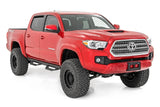
For this example, picture a 2021 Chevrolet Silverado used for commuting, job sites, and early Delaware mornings. The owner wants dependable warm-up time, control from the factory remote, and the option to add a longer-range remote later. That sounds straightforward, but the vehicle, the desired features, and the owner’s habits all determine the right system and installation approach.
The Vehicle Check Comes Before the Remote Start
A professional remote starter install begins with the vehicle, not the product shelf. The technician confirms the exact year, trim level, engine, transmission, factory key type, and existing remote-start capability. Two vehicles that look nearly identical can have different electronic architecture, different factory alarm behavior, or different compatibility requirements.
On the Silverado in this remote starter installation example, the first question is whether the truck already has factory remote start. If it does, an upgrade may focus on extending range, adding smartphone control, or integrating security features. If it does not, the installer selects a compatible remote start platform and the correct vehicle-specific data interface.
The vehicle also gets a quick condition check. Weak batteries, intermittent door-lock issues, warning lights, aftermarket lighting, prior alarm work, and damaged wiring can affect a remote start system. A starter cannot fix a vehicle that already has a charging, battery, or check-engine problem. Most systems are designed to shut down if the hood is open or if a critical safety input is not present, which is exactly what they should do.
Choosing the Features for This Installation
The owner in this example does not need every possible option. They need a setup that works every day without carrying another bulky remote unless they want more range. A quality system can be configured around that goal.
Factory remote activation is often the starting point. On many compatible vehicles, pressing the factory lock button in a specific sequence can start the engine. This keeps the owner’s key ring simple and makes the feature easy to use. The trade-off is range. Factory remotes are convenient, but their usable distance can be limited by buildings, parking lots, interference, and weather.
For customers parking farther from home or work, a dedicated long-range remote is a better fit. Two-way remotes send confirmation back to the remote so the driver knows the vehicle received the command. That matters when the truck is around the corner, across a large lot, or behind a building. Smartphone control is another strong option, particularly for drivers who want status notifications and broad coverage beyond normal remote range. It typically involves a subscription after any included service period, so it is worth discussing before the install.
The owner also wants the rear defroster to activate automatically in cold weather. Depending on the vehicle and interface capabilities, the installer may be able to configure climate-control behavior, defrost output, heated-seat activation, or other comfort functions. These are vehicle-specific features, not promises that apply to every make and model.
What Happens During a Remote Starter Installation Example
The installation itself is not a universal plug-in procedure. Some vehicles use vehicle-specific harnessing that reduces the amount of wiring required, while others need more traditional connections. Either way, the goal is the same: secure connections, protected wiring, clean routing, and operation that respects the vehicle’s factory electronics.
The technician disconnects power as appropriate, removes the needed dash panels carefully, and locates the approved connection points. The remote start control module and interface are mounted securely away from moving parts, heat sources, and areas where they could rattle or be damaged. Wiring is routed neatly, protected with loom or tape where needed, and secured so it cannot hang below the dash.
The system needs reliable access to the signals that tell it what the vehicle is doing. Depending on the application, that can include ignition status, brake input, hood status, door locks, parking lights, tach or data information, and factory security communication. Modern vehicles can communicate much of this information through data modules, but programming and verification are still critical.
A properly installed hood safety switch deserves special attention. If the hood is raised for service, the remote start must not crank the engine. The brake input is equally important. Pressing the brake pedal without the key or authorized takeover sequence should shut the remote-start session down. These are not optional extras. They are part of a safe installation.
Programming Is Where Compatibility Becomes Real
After the physical work is complete, the installer programs the remote start module and vehicle interface for the exact application. This can include transmission type, engine run-time settings, lock and unlock behavior, remote-control options, and climate-related outputs. The module may need firmware updates before it is installed or programmed after it is connected to the vehicle.
On the Silverado example, the technician sets a practical run time based on the owner’s needs and local conditions. Longer is not always better. A 15-minute setting may be enough for most mornings, while extended run time can waste fuel if the vehicle is left running unnecessarily. Local laws and property rules also matter. Remote start is intended for an attended, properly parked vehicle, not for leaving a vehicle running unattended in an enclosed space.
The installer then confirms the takeover process. When the driver approaches a running vehicle, they must be able to unlock it, enter, insert or carry the authorized key, and transition to normal driving without the engine shutting off unexpectedly. On push-to-start vehicles, this sequence can be different than on a keyed ignition vehicle, which is another reason application knowledge matters.
Testing the System Beyond One Successful Start
A remote start that works once in the bay is not finished. The system should be tested repeatedly with the factory remote, dedicated remote, or phone app selected for the job. The technician verifies engine start, engine shutdown, lock and unlock commands, parking-light feedback, and confirmation signals.
Safety testing follows. The hood is opened to confirm the system will not start. The brake is pressed to verify shutdown. Door behavior, factory alarm interaction, and keyless-entry functions are checked. If the vehicle has aftermarket accessories such as LED lighting, an alarm, dash cam, or audio equipment, the installer confirms that the remote start does not create unwanted electrical behavior.
Range testing is also realistic rather than theoretical. Actual range depends on obstructions, RF interference, the remote model, and where the vehicle is parked. A long-range system can be a major upgrade over factory remote activation, but no shop should promise identical results in every neighborhood, garage, or work parking lot.
When a Basic Install Is the Right Call
Not every vehicle needs phone control, two-way confirmation, security upgrades, and climate automation. A driver who parks in their driveway and only wants a simple warm-up feature may be best served by factory-remote activation. It keeps the system easy to use and controls the budget.
For a commuter who parks at a hospital, warehouse, campus, or large office complex, longer range and two-way confirmation can be worth the extra cost. For a truck owner carrying tools or equipment, pairing remote start with security features may make sense. The right answer depends on where the vehicle is parked, how far away the driver will be, and how much control they want.
A clean remote start installation should feel like the vehicle came that way. At Audio Jam, that means matching the system to the vehicle, building in the safety checks, programming the features the owner will actually use, and taking the time to show them how it works before they leave. When the next cold morning hits, the best proof of the install is simple: press the button, get confirmation, and step into a vehicle that is ready to drive.