

Radios with Apple CarPlay: A 2026 Buyer Guide

You're heading home on Route 1, trying to get directions while your factory radio forgets your phone again. The Bluetooth connection cuts out during a call, the phone mount sits too low, and the old touchscreen takes long enough to respond that you stop trusting it. Your vehicle still runs well, but its dashboard feels years behind the phone in your hand.
That's why radios with Apple CarPlay remain one of the most worthwhile upgrades for an older car, truck, or Jeep. The right receiver gives you a fixed, readable interface for Apple Maps, Waze, Siri, calls, messages, and music. The wrong receiver gives you a sluggish screen, unreliable connections, poor fitment, and a firmware problem that nobody wants to own.
| Buying priority | What I recommend | What to watch |
|---|---|---|
| Daily commuting | A reputable mid-tier receiver with wired or wireless CarPlay | Processor speed, update support, screen glare |
| Older car or basic truck | A clean double-DIN wired unit | Dash kit, steering-wheel controls, factory amplifier compatibility |
| Truck or Jeep with upgraded audio | A floating-screen or premium receiver with strong preamp outputs | Overhang, glare, amplifier integration, camera retention |
| Long-term ownership | A brand with documented firmware support | Units that receive little or no software maintenance |
Table of Contents
- Why Delaware Drivers Are Upgrading to Apple CarPlay Radios
- What Apple CarPlay Actually Does in an Aftermarket Radio
- Wired vs Wireless Apple CarPlay and Why the Difference Matters
- Screen Sizes, Form Factors, and How to Match Your Dashboard
- Installation, Vehicle Integration, and When to Trust a Pro
- Price Tiers and the Best Radios with Apple CarPlay by Use Case
- Long-Term Stability, Firmware, and Fixing CarPlay Problems
- Audio Jam's Shortlist and Your Next Steps
Why Delaware Drivers Are Upgrading to Apple CarPlay Radios
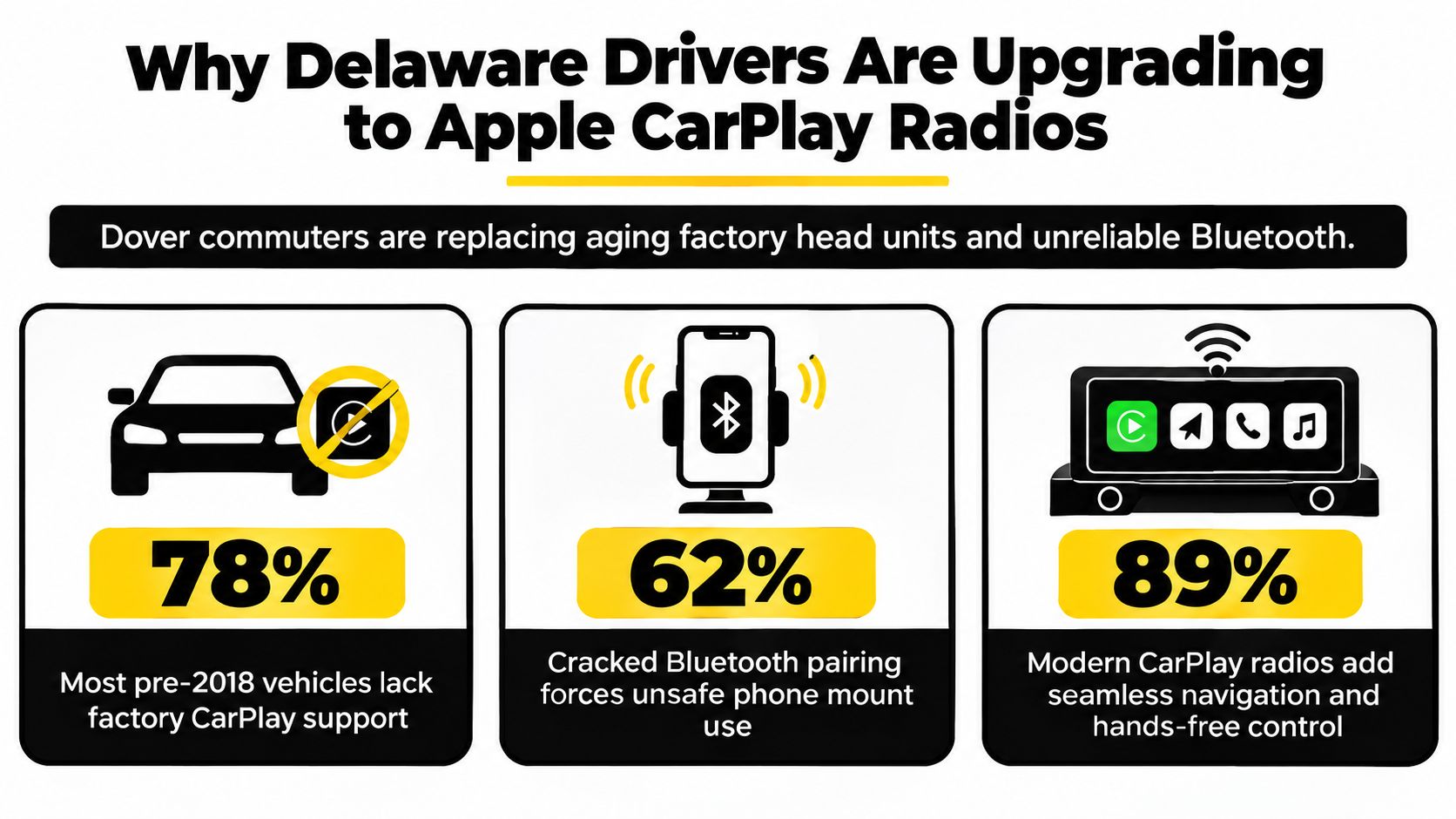
A Dover commuter usually doesn't replace a factory radio because the dashboard looks old. They replace it because the radio has become the least dependable part of the drive. Pairing fails, calls sound muffled, the USB connection drops, and the phone ends up balanced in a cupholder or clamped to a vent.
A properly installed CarPlay receiver fixes that workflow by putting a controlled iPhone interface where you can see it. Apple Maps and Waze display directions on a stable screen, Siri handles messages and calls, and compatible music or podcast apps stay within a simplified driving interface. Steering-wheel controls can often remain functional, but that depends on the correct vehicle-specific interface, not just the receiver itself.
The upgrade makes sense when the car is still worth keeping
If the engine, transmission, tires, and suspension are in good shape, a CarPlay radio can change how the vehicle feels every day without replacing the vehicle. It's especially useful in older sedans, commuter cars, work trucks, and Jeeps where the factory system offers little more than basic Bluetooth.
Apple introduced CarPlay publicly on March 3, 2014, at the Geneva Motor Show, with Ferrari, Mercedes-Benz, and Volvo identified as the first vehicle brands expected to ship it. Apple also listed a broad group of later partners, including Ford, GM, Honda, Hyundai, Kia, Nissan, Subaru, and Toyota, showing that CarPlay started as an OEM-backed platform rather than an aftermarket experiment. Apple's original CarPlay announcement documents that rollout.
Installer's rule: If the factory radio is the daily source of frustration, solve the phone connection first. Don't start by buying speakers or an amplifier if you can't reliably use the system.
The feature is now common in new vehicles. An Omdia survey of U.S. model-year 2023 vehicles found CarPlay in 93.9% of surveyed models, compared with 35.2% in model-year 2017. Apple stated in 2025 that CarPlay was available in over 98% of new cars sold in the United States, so aftermarket buyers are usually trying to bring a modern standard into an older vehicle, not add an exotic feature.
What Apple CarPlay Actually Does in an Aftermarket Radio
CarPlay is best understood as a projection layer for your iPhone, not as a complete replacement for the radio's operating system. The receiver supplies the display, touch controls, microphone, audio hardware, connection radios, and vehicle interfaces. Your iPhone supplies the CarPlay apps, Siri processing, navigation data, messages, and much of the user experience.
That distinction matters because buyers often blame CarPlay for problems caused by the head unit or installation. A frozen display can be a receiver firmware issue. A failed steering-wheel button can be an integration module or programming issue. A call that sounds weak may come from the external microphone, its placement, or the vehicle's retained factory system.
The receiver handles the hardware
The aftermarket radio manages the touchscreen, tuner, Bluetooth connection, Wi-Fi hardware for wireless CarPlay, digital-to-analog conversion, internal amplification, equalizer settings, and preamp outputs. It may also pass signals to a GPS antenna, reverse camera, USB input, and external microphone.
Vehicle integration requires separate attention. Interfaces such as iDatalink Maestro can help retain steering-wheel controls, factory amplifiers, warning chimes, and selected vehicle data, but compatibility depends on the exact vehicle and receiver combination.
CarPlay handles the phone-facing experience
CarPlay presents approved navigation, messaging, calling, audio, and other compatible apps through a simplified layout. Siri handles voice requests, while the receiver displays the interface and sends your touch or button commands back to the iPhone.
CarPlay doesn't replace every factory function. Standard CarPlay doesn't generally control climate functions, and it can't automatically recreate every vehicle menu that appeared on the original screen. Apple's 2025 CarPlay Ultra rollout expands CarPlay into instrument clusters and other displays in supported vehicles, but that doesn't mean a generic aftermarket radio can reproduce those functions in every dashboard. Background on the CarPlay Ultra rollout helps clarify why vehicle-specific integration matters.
Wired vs Wireless Apple CarPlay and Why the Difference Matters
Wired CarPlay remains my default recommendation for drivers who care most about consistency. Plug in the iPhone, and the connection receives power while carrying the CarPlay data. There's no startup negotiation between several wireless systems, and the phone isn't spending the drive maintaining a wireless link when it could be charging.
Wireless CarPlay wins on convenience. You get in, start the vehicle, and leave the phone in a pocket or bag. That's useful for families sharing a car and for drivers who hate cable clutter. The trade-off is a longer connection process, greater battery use, and another wireless system that can occasionally need troubleshooting.
| Feature | Wired CarPlay | Wireless CarPlay |
|---|---|---|
| Startup | Typically faster and more predictable | More convenient, but reconnection can take longer |
| Phone charging | Yes, through the connection cable | No, unless you use a separate charger |
| Audio integrity | Strong digital connection with minimal delay | Very good, but dependent on wireless stability |
| Touch response | Near-instant in controlled testing | Noticeable interaction delay can appear |
| Best match | Commuters, rideshare drivers, navigation-heavy users | Shared vehicles and cable-free dashboards |
Controlled comparisons reported wired CarPlay loading in about 3 to 5 seconds, while wireless setups commonly took about 8 to 20 seconds to reconnect. Those tests also found roughly 0.3 to 0.5 seconds of wireless interaction latency in normal conditions. BestCarAudio's wired versus wireless testing provides those measurements.
Audio quality can also favor the wired connection. One review measured wired playback at 1 kHz with 0.01042% THD+N and a -85.21 dB signal-to-noise ratio, concluding that wired CarPlay left meaningful audio clarity performance available compared with wireless use of the same system. Stuff's CarPlay review contains those measurements.
For compressed streaming, most drivers won't hear a dramatic difference. For lossless Apple Music, high-bitrate podcasts, or a system with upgraded speakers and amplifiers, wired CarPlay is the more sensible choice. Buy wireless when convenience matters more than charging and absolute consistency. Don't pay extra for wireless and assume it's automatically superior.
Screen Sizes, Form Factors, and How to Match Your Dashboard
A large screen doesn't automatically make a better radio. The screen has to sit at the right height, avoid blocking vents, resist glare, and leave enough room for climate controls and factory trim. In Delaware summers, a readable anti-glare surface can matter more than a headline brightness specification.
Choose the chassis around the dashboard
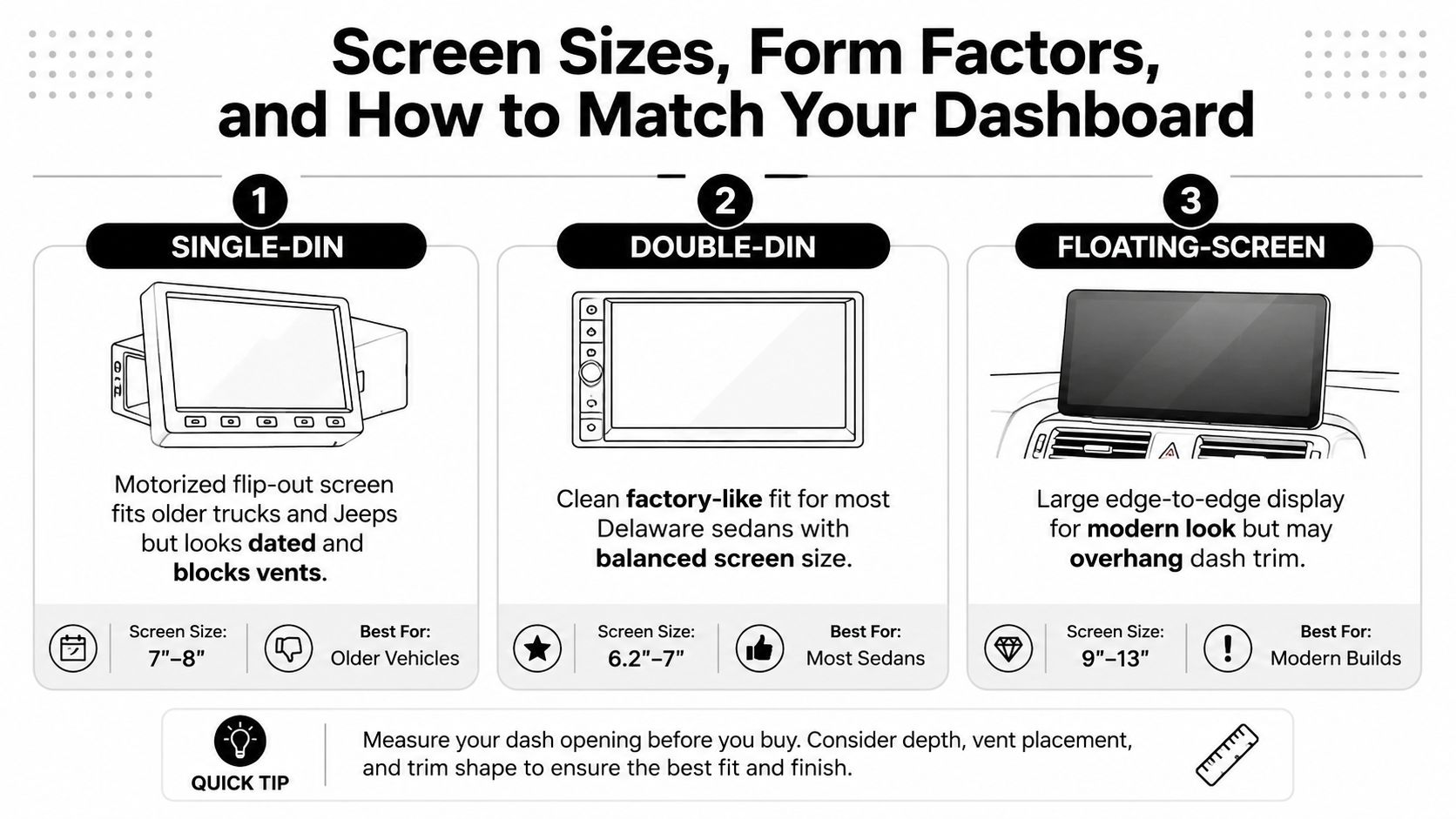
Single-DIN receivers fit older trucks, Jeeps, and cars with a narrow opening. A motorized screen can add CarPlay where a standard screen wouldn't fit, but the moving mechanism can look dated and may obstruct a vent or sit at an awkward angle.
Double-DIN receivers are the safest all-around option. They generally deliver a factory-like appearance and a practical screen size for many sedans, including common dashboard layouts found in Camry, Accord, and Fusion applications. A clean double-DIN installation usually looks more integrated than a screen mounted above the dash.
Floating screens create a tablet-style presentation and improve visibility for drivers who prefer larger text. They also project above the original radio location, which can create glare, interfere with defrost airflow, or overhang dash trim in trucks such as Silverado and F-150 applications.
Capacitive glass is more accurate and familiar than a cheap resistive panel. Still, don't judge the display from the product photo alone. Check the screen's viewing angle, physical controls, glare performance, and how far it sits from your normal sightline.
Watch the form factors in operation before choosing. This short demonstration can help you see how screen placement changes the dashboard experience.
Installation, Vehicle Integration, and When to Trust a Pro
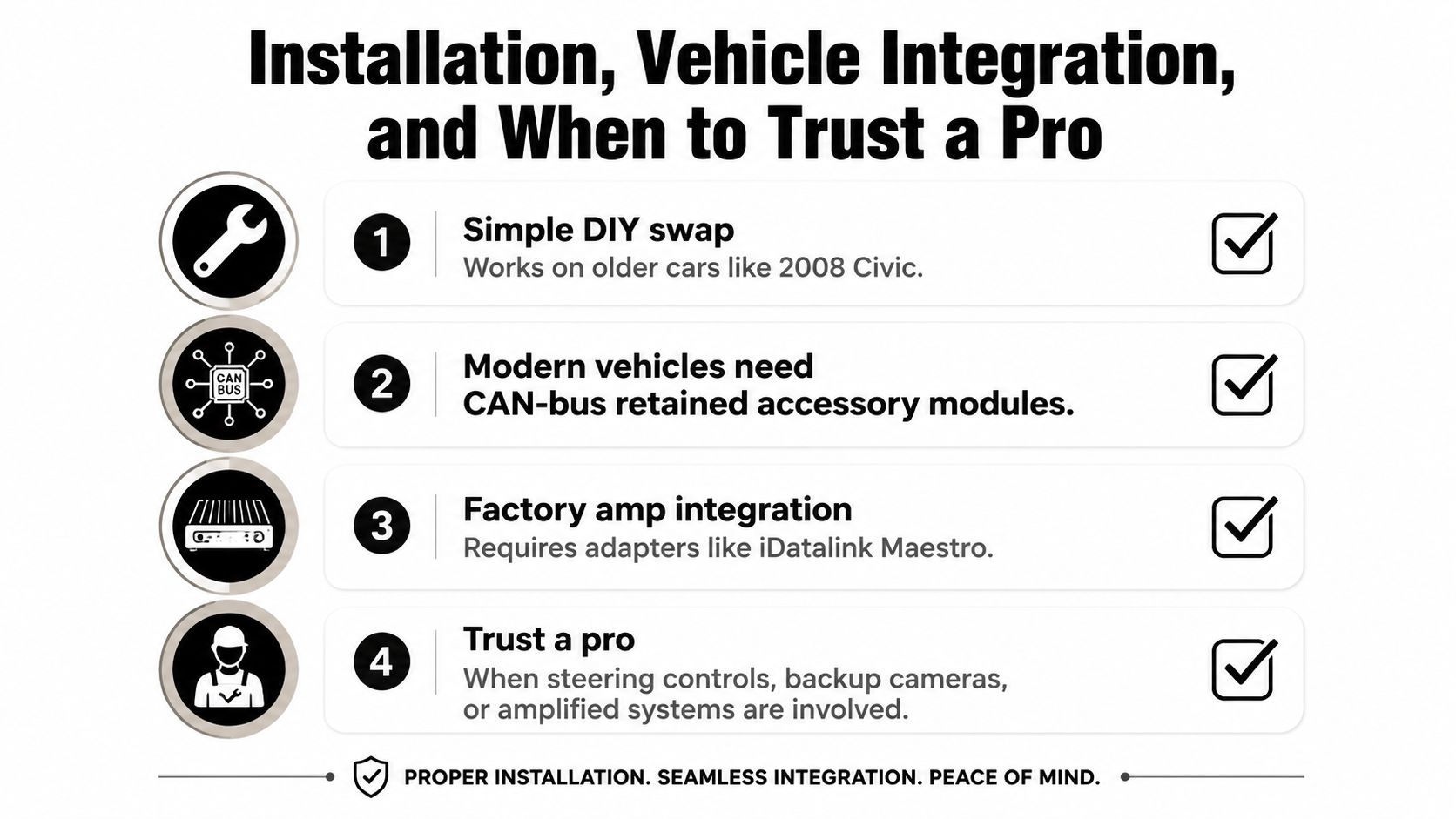
A radio swap in an older, simple vehicle can be manageable for an experienced DIY owner. A modern vehicle is a different job. The radio may communicate with the body control system, factory amplifier, warning chimes, backup camera, steering-wheel controls, and another vehicle display.
Identify the vehicle systems before ordering
Start with the exact year, make, model, trim, and factory audio package. A base radio and a Bose, Sony, or Harman Kardon system may require completely different harnesses and signal adapters. A vehicle with an amplifier may need gain matching, retained fade and balance functions, and a dedicated T-harness.
CAN-bus retained accessory modules can preserve switched power behavior and other factory functions. An iDatalink Maestro interface may retain steering-wheel controls, chimes, amplifier functions, and selected vehicle data, but the module must be compatible with both the car and the receiver. Climate graphics and factory menus can disappear if the replacement radio and interface don't support them.
Know when the job has moved beyond a simple harness
Call a professional installer when the vehicle has an amplified system, factory backup camera, digital amplifier, steering-wheel controls, or safety-related camera integration. The shop should confirm the parts before installation, program the interface, and test the system before closing the dash.
A proper installation uses secure crimped or soldered connections with insulation, correct grounding, protected USB routing, and a microphone positioned for the driver. The installer should test calls, Siri, steering controls, camera operation, chimes, fade, balance, subwoofer output, and vehicle startup behavior.
Practical rule: If losing one factory feature would make you regret the purchase, verify its retention before buying the radio, not after the dashboard is apart.
Vehicle service guidance also shows why diagnosis matters. Reports can include black screens, crashes, disconnects, audio loss, blank maps, and microphone or Siri glitches. An OEM service bulletin available through NHTSA describes cases where software anomalies can be addressed by updating radio software or rebooting the unit instead of replacing hardware.
Price Tiers and the Best Radios with Apple CarPlay by Use Case
Price alone doesn't tell you which receiver belongs in your vehicle. A basic commuter needs dependable CarPlay and a good fit. A family sedan may benefit from better touch response, wireless connectivity, and audio tuning. A truck with amplifiers needs preamp flexibility, camera support, and a mounting solution that can survive a rougher cabin.
| Price tier | Recommended models | Key features | Best for | Skip these |
|---|---|---|---|---|
| Budget | Boss, Jensen, entry Pioneer double-DIN units | Wired CarPlay, practical screen, basic tuning | Teen driver, older Civic, basic work truck | Off-brand units with sluggish processors |
| Mid-tier | Pioneer WHA-series, Kenwood DMX1057XR, Sony XAV-AX7000 | Wireless CarPlay options, capacitive glass, advanced EQ, time alignment, preamp outputs | Daily commuter and family sedan | Models with poor fitment support for the vehicle |
| Premium | Alpine, Pioneer floating-screen models, high-end Kenwood and Sony receivers | Large display, wireless connectivity, HDMI on selected units, higher-voltage preamp outputs | Amplified truck, Jeep, custom audio system | Oversized screens that block vents or clash with trim |
Budget buyers should keep the mission narrow
A budget receiver makes sense when the goal is navigation, calls, and streaming audio through factory speakers. Wired CarPlay is usually the right priority because it avoids paying for wireless convenience while preserving a dependable connection. Don't expect advanced sound staging, deep vehicle integration, or a premium screen at this level.
Mid-tier is where most drivers should shop
The mid-tier category is the sweet spot for a daily driver. Receivers such as the Kenwood DMX1057XR, Sony XAV-AX7000, and applicable Pioneer WHA-series models offer stronger interfaces and more room for future amplifier or speaker upgrades. Look for a responsive capacitive display, useful equalization, time alignment, and preamp outputs that match your planned system.
Premium makes sense only when the rest of the system supports it
A floating-screen receiver can work well in a truck or Jeep with upgraded audio, multiple cameras, and external amplifiers. It can also be the wrong choice for a tight dash with a low windshield or easily blocked vents. Buy premium hardware for a real system requirement, not just because the screen is larger.
Long-Term Stability, Firmware, and Fixing CarPlay Problems
The most expensive mistake isn't always buying the cheapest radio. It's buying a feature-packed unit with no clear firmware path, weak documentation, and no installer willing to troubleshoot it later.
CarPlay problems often look like hardware failures. A black screen may come from a software crash. A disconnect can result from the USB cable, phone handshake, wireless interference, or receiver firmware. Audio routing can fail after a phone update or an interrupted startup. The first response shouldn't be removing the radio from the dash.
| Symptom | Likely cause | First fix to try |
|---|---|---|
| CarPlay won't launch | Cable, USB port, phone permission, or firmware issue | Try a known-good cable, restart the phone, and inspect the receiver update instructions |
| Screen freezes | Receiver software anomaly or overloaded process | Reboot the unit and check for current firmware |
| Wireless connection drops | Pairing conflict or unstable wireless handshake | Remove the vehicle from the iPhone's CarPlay settings, then pair again |
| Music plays through the wrong path | Audio routing or Bluetooth conflict | Disconnect unused Bluetooth profiles and restart both devices |
| Siri or calls sound poor | Microphone placement, gain, or software issue | Test the external microphone and inspect its routing |
| Map view is blank | App, connection, or receiver software fault | Restart CarPlay, update the phone and receiver, then retest |
Firmware support belongs on the buying checklist
Before purchasing, find the manufacturer's support page and look for update files, release notes, installation instructions, and model-specific documentation. A receiver that has no visible support process is a poor long-term choice for someone who plans to keep the vehicle.
Keep the update process simple. Use the receiver's designated USB input, follow the manufacturer's instructions exactly, and don't interrupt power during an update. If a problem returns after a proper reset and current firmware, then investigate the cable, phone, microphone, interface module, and hardware.
A reliable installation includes a maintenance plan. Save the receiver model, interface model, firmware version, and installation notes before leaving the shop.
Connectivity deserves more attention than another decorative feature. J.D. Power's 2026 study reported phone-to-vehicle connectivity issues at 8.9 problems per 100 vehicles, within a broader infotainment category measured at 56.7 problems per 100 vehicles. The reported 2026 connectivity findings reinforce the point: modern drivers don't just want CarPlay listed on the box. They want it to connect and stay connected.
Audio Jam's Shortlist and Your Next Steps
My shortlist starts with the vehicle, not the product page.
For a commuter sedan with factory speakers, I'd look first at a reliable mid-tier Pioneer, Kenwood, or Sony receiver, with wired CarPlay if charging and predictable startup matter most. The Sony XAV-AX7000 and Kenwood DMX1057XR are sensible examples for buyers who want a stronger interface and room for future audio upgrades, provided the exact fitment and integration package are correct.
For an older Civic, basic sedan, or work truck, a wired double-DIN receiver from Boss, Jensen, or Pioneer can be enough. Keep the system simple, use the correct dash kit, and don't spend on premium functions the vehicle can't retain.
For a truck or Jeep with amplifiers, subwoofers, multiple cameras, or a desire for a large display, consider a premium floating-screen receiver from Alpine, Pioneer, Kenwood, or Sony. Confirm the screen won't block vents, interfere with trim, or create a reflection that makes the display difficult to read.
Audio Jam Inc offers CarPlay-compatible receivers, vehicle integration parts, and professional installation for Delaware drivers who want the radio matched to the dashboard and factory systems. The important part is the fitment consultation. Bring the exact vehicle details, factory audio package, steering-wheel controls, camera setup, and amplifier information.
Before ordering, ask for:
- A fitment check: Confirm the dash kit, wiring harness, USB retention, antenna adapter, and integration module.
- A feature-retention list: Verify steering controls, chimes, backup camera, factory amplifier functions, and any vehicle displays.
- A firmware plan: Record the receiver and interface models, then schedule a post-install check if connection problems appear.
- A hands-on comparison: Test wired and wireless CarPlay, touch response, glare, microphone quality, and screen position.
Don't choose the radio with the longest feature list. Choose the receiver with a clear update path, proven vehicle integration, and an installer who can tell a software fault from a wiring or hardware fault.
Visit Audio Jam Inc in Bear for a hands-on CarPlay radio demonstration, vehicle-specific fitment check, and professional installation planning. The team can match a receiver to your car, truck, or Jeep while preserving the factory functions that matter to you.