

Auto Head Unit Guide: Fit, Features and Compatibility

Your phone lives in a vent mount, the charging cable drapes across the shifter, and the factory radio still treats a CD slot as a headline feature. You've decided to fix it. Then you open a product listing and run into a wall of terms: single DIN, double DIN, floating screen, shallow chassis, CAN bus adapter, preamp output, parking brake wire.
None of those terms is difficult once someone explains them in the right order. What makes head unit shopping confusing is that three separate questions get mixed into one: does the unit fit the hole in the dash, does it talk to the car's electronics, and does it help or hurt your attention while you drive. This guide works through those questions the way an installer does, with a lookup at each decision point so you can check your own vehicle instead of guessing.
Table of Contents
- Head Unit Types and Dash Fit at a Glance
- Features That Change Daily Use
- How a Head Unit Talks to Your Car
- Compatibility Factors to Verify Before You Buy
- Judging Sound Quality in a Real Car
- Smartphone Integration and Driver Attention
- Privacy, Updates and Software Support
- Choose the Right Head Unit for Your Car
Head Unit Types and Dash Fit at a Glance
An auto head unit is the main control panel for a car's audio, phone, navigation and app functions, usually mounted in the center of the dash. Almost every fit problem traces back to one thing: the size of the opening behind that panel. Two standard sizes cover most vehicles, and both are measured in millimetres even on cars sold in the United States.
A single DIN opening measures 178 x 50 mm (7 x 2 in). A double DIN opening measures 178 x 100 mm (7 x 4 in), the same width and exactly twice the height. Measure the plastic trim opening with a tape measure. If it's about 7 inches across, the width question is settled and the height decides the rest.
| Type | Opening size | Typical features | Usually fits |
|---|---|---|---|
| Single DIN | 178 x 50 mm (7 x 2 in) | Radio, CD or basic media, small display | Older dashes with one standard opening |
| Double DIN | 178 x 100 mm (7 x 4 in) | Large touchscreen, smartphone mirroring | Dashes with a double-height opening |
| Floating screen double DIN | Double DIN chassis, screen stands off the bezel | Large screen, mirroring and camera views | Double DIN openings with bezel clearance checked |
| Shallow-chassis model | Standard opening, reduced rear depth | Fewer inputs, shorter chassis body | Dashes with limited depth behind the opening |
Two variations trip people up. A floating-screen receiver mounts on a standard chassis but the display stands proud of the dashboard bezel, so the number that matters isn't the opening, it's how much trim sits above and below it. A shallow-chassis model pulls the connector block and heat sink forward so the unit clears a dash with limited depth, which is common on vehicles that route a climate duct or a factory amplifier directly behind the radio.
The trade-off is straightforward. A bigger screen gives you room for smartphone mirroring, camera views and readable map text, but it needs physical clearance and it may not sit right without a dash kit. A smaller unit fits more cars with less fuss and asks less of your attention at a glance.
Three actions before you order:
- Measure width and height at the trim opening, not at the radio chassis behind it.
- Note the depth behind the opening. A tape measure pushed straight back tells you whether a deep-chassis double DIN will clear.
- Confirm a dash kit is listed for your exact year, make, model and trim. The surround, brackets and wiring adapter usually come as a vehicle-specific package, and the options are set out in this guide to radio dash kits for cars.
Camera hardware deserves the same fit thinking, since an input on the back of the receiver is useless if the camera itself crowds the glass; browse dash camera rankings from HearSmart if you're adding one during the same install.
Features That Change Daily Use
Four in ten U.S. adults who had driven or ridden in a car during the previous month reported having Apple CarPlay or Android Auto in their primary vehicle in 2025, according to SSRS. That single shift explains why the feature list on a modern receiver starts with the phone rather than the tuner.
Wired CarPlay and Android Auto run apps on the screen over a USB cable. Wireless versions do the same after an initial pairing, with the phone connecting on its own each time you start the car. Bluetooth handles hands-free calling and audio streaming on every unit worth buying, and AM/FM with HD Radio where the model offers it. None of this changes how the car sounds. All of it changes how a commute feels.
Below the phone row sit the features that decide how the unit behaves in your specific vehicle. A backup camera input shows the rear view when you shift into reverse. A steering wheel control interface translates the factory buttons into commands the new receiver understands, and it is almost always a separate adapter rather than a built-in feature. A parking brake wire must be connected before many receivers will display video or open certain settings, so an install that skips it leaves functions locked.
| Feature | What it does | Who should prioritize it |
|---|---|---|
| Wired Apple CarPlay and Android Auto | Phone connects by USB cable and runs apps on the screen | Drivers who want a stable link without pairing setup |
| Wireless Apple CarPlay and Android Auto | Phone connects without a cable after initial pairing | Drivers who want a tidy dash and fewer cables |
| 4-volt preamp outputs | Sends a clean, strong signal to external amplifiers | Owners planning to add amplifiers or subwoofers |
| Built-in amplifier | Powers the factory speakers without outside amplification | Owners keeping factory speakers and wanting louder sound |
| Backup camera input | Shows the rear view when reversing | Drivers without a factory camera or who want a dash view |
| Steering wheel control interface | Keeps factory steering buttons working with the new unit | Owners who use steering buttons daily |
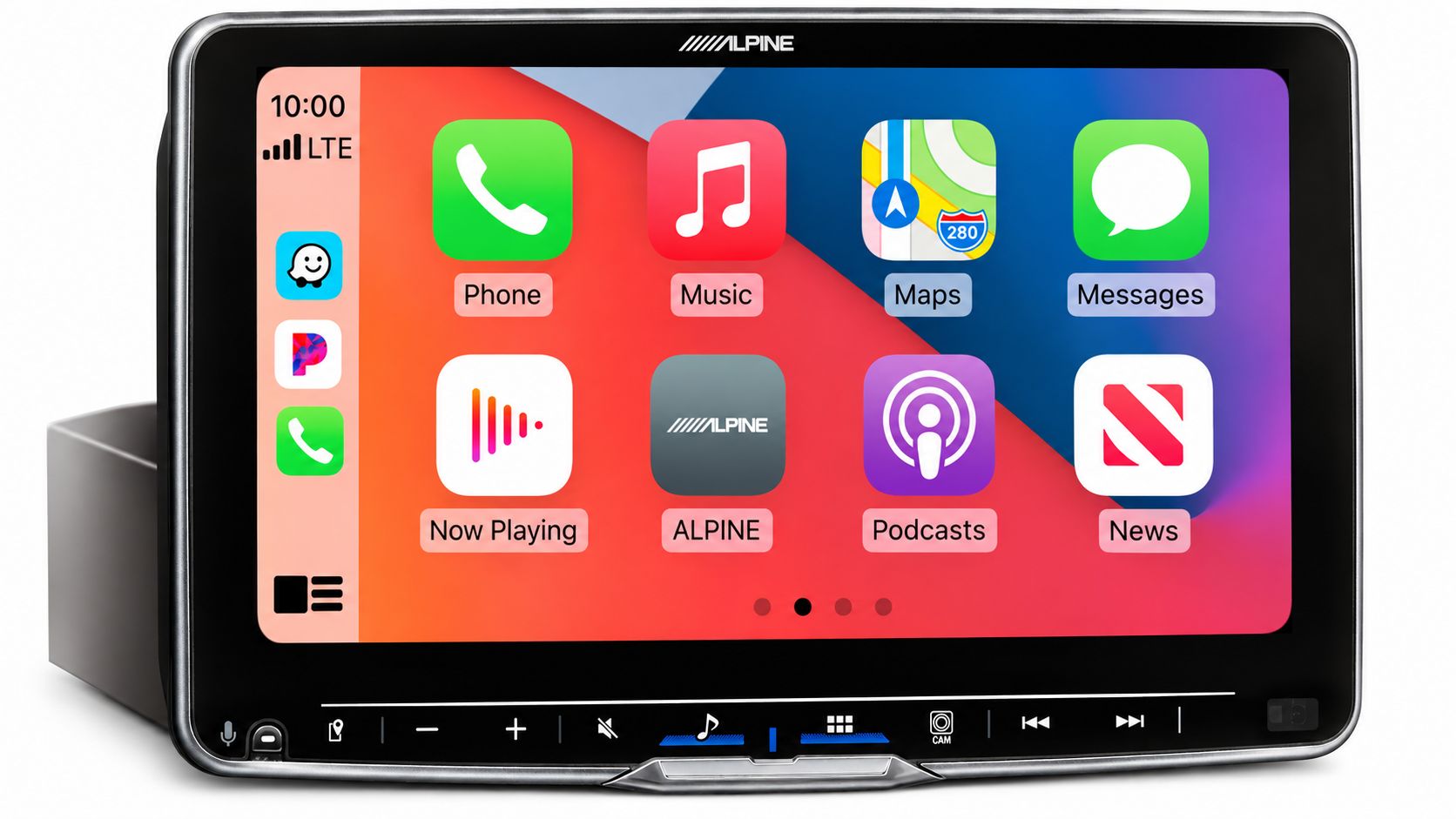
The Alpine Halo9 iLX-F509 Digital Receiver shows how these pieces come together in one chassis: a 9-inch floating display with wired and wireless CarPlay and Android Auto, 4-volt preamp outputs, a 13-band parametric equalizer and two camera inputs, with a monitor face of 9.155 by 5.935 inches that has to be checked against your dash trim.
Ranking features is easier than it looks. Write down the three things you do in the car, such as navigation, calls and music. The right receiver is the one that completes those three tasks with the fewest taps.
Practical rule: If a feature doesn't change one of your three daily tasks, drop it from the shortlist. Paying for it costs money and adds menu layers you'll never use.
How a Head Unit Talks to Your Car
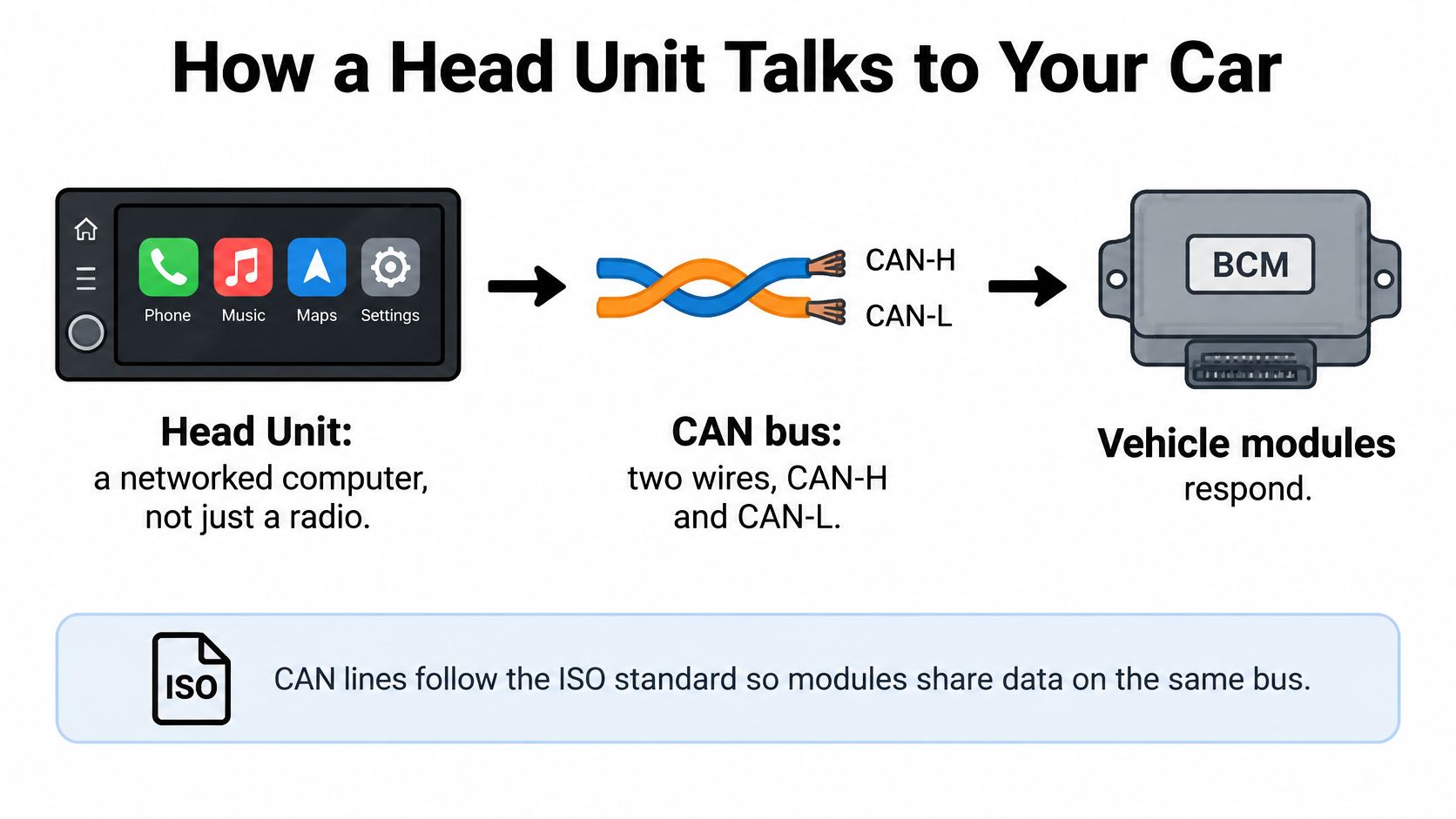
A modern receiver is a networked embedded computer, not an isolated audio source. Most vehicles carry a Controller Area Network (CAN), a two-wire bus with CAN-H and CAN-L lines standardized as ISO 11898-1:2015, and that bus is how the radio asks the car for steering wheel presses, factory amplifier status, climate and vehicle-status data and parking sensor information.
Here's the order a technician works through on a real install.
- Power and ground harness. Constant power, ignition power, ground and, on many cars, an illumination or reverse trigger. Nothing else works until this link is right.
- Antenna and speaker leads. The audio path to the doors. Factory amplified systems often need line-level outputs here instead of speaker-level.
- Factory amplifier connection. This is the link that decides whether the receiver drives a stock amp cleanly or needs an adapter to avoid distortion or silence.
- Steering wheel control interface. A small module that reads the factory button resistance and translates it into commands the new unit accepts.
- Camera wire. Carries the reverse signal and the video feed from the rear.
- Parking brake wire. Enables video playback and blocked settings on receivers that require it.
Use a vehicle-specific interface harness for each link rather than splicing into CAN lines by hand, and start from a proper stereo wiring harness rather than a handful of crimped connectors. Real modules exist for this job. The iDatalink HRN-HRR-SU2, for example, keeps factory steering wheel audio controls working with an iDatalink-ready receiver in select 2012-up Subaru, Scion and Toyota vehicles.
The connection is also a security boundary. A peer-reviewed assessment of a Kia infotainment system demonstrated that vulnerabilities in head-unit software could allow unauthorized access to the in-vehicle network and injection of CAN frames capable of affecting vehicle functions. That's why a proper interface beats improvised wiring, why firmware should stay current, and why compatibility gets judged by vehicle year, trim, factory amplifier, steering controls, camera and network architecture rather than by dashboard fit alone.
A receiver can drop perfectly into the dash and still fail. Missing any one of those six links shows up as a dead steering button, a silent amplifier or a camera that never triggers.
Compatibility Factors to Verify Before You Buy
Compatibility is decided by year, trim, factory audio system and network type, not by dash fit alone. Two vehicles that look identical in a parking lot can carry different wiring, different amplifiers and different bus behaviour.
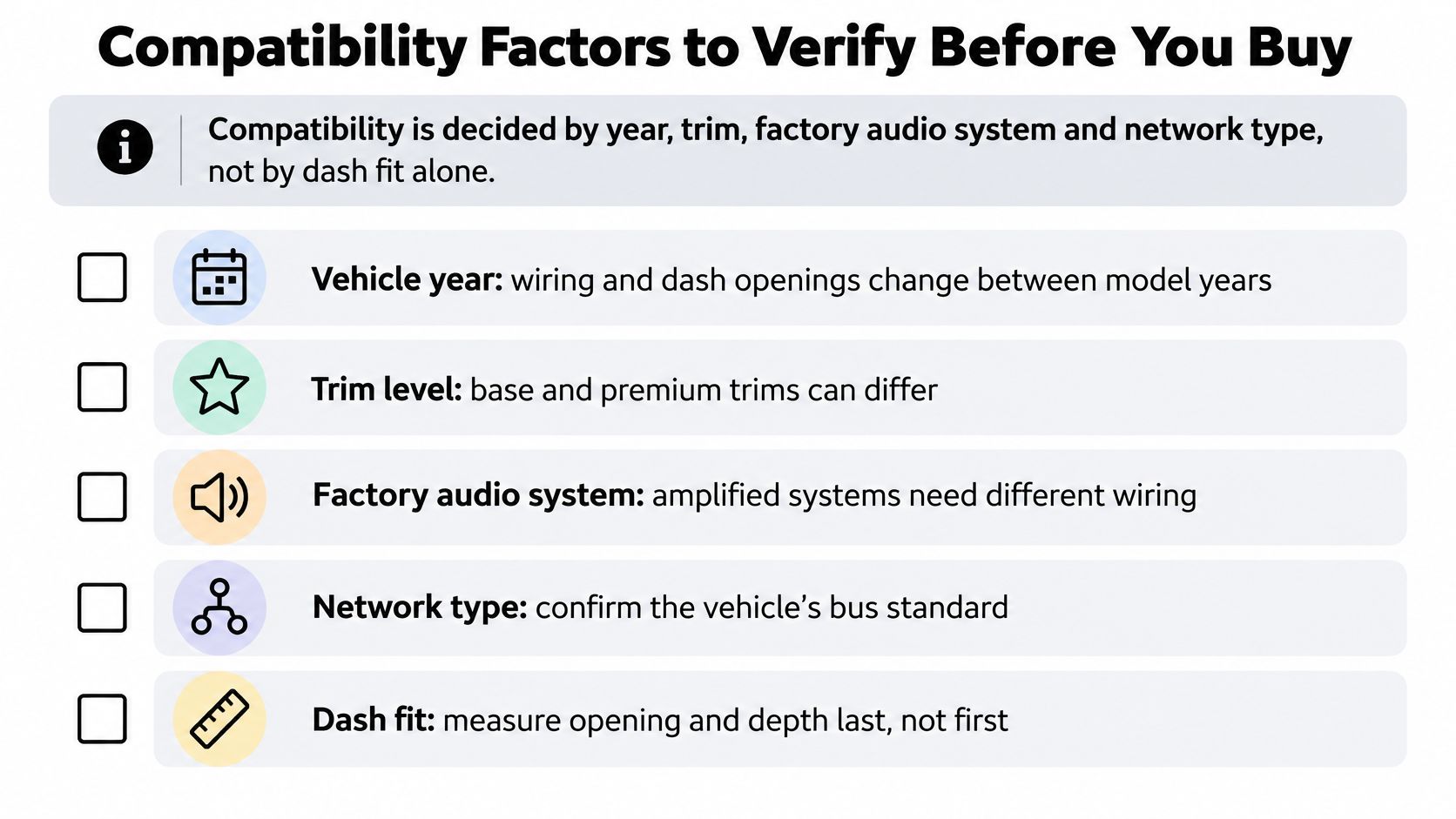
Work down the table below and write the answer for your own vehicle next to each row. Buy only when every row has a confirmed match. An unknown on any line is a reason to ask your installer before you order, not after the box arrives.
| Factor | What to verify | Why it matters |
|---|---|---|
| Vehicle year and trim | Match the fitment guide for the exact year and trim | Wiring and dash openings can change within a model range |
| Factory amplifier | Confirm whether the car has a factory amp and what signal it expects | Mismatch causes distortion or no sound |
| Steering wheel controls | Confirm the interface harness or adapter for the make and model | Keeps steering buttons working after the swap |
| Backup camera | Check the camera input type and any factory camera to bypass | Needed for a working rear view |
| Parking brake wire | Confirm the brake wire is connected and set as the receiver requires | Many receivers lock video and settings without it |
| Vehicle network | Confirm a vehicle-specific interface instead of improvised connections | Prevents faults and reduces security exposure |
The factory amplifier row catches many installers off guard. A car with a premium factory system often sends a fixed-level signal to an amplifier mounted elsewhere in the vehicle. Drop in a receiver with only speaker-level outputs and you get either a whisper or a distorted mess, because the new unit is amplifying a signal the old amp was never designed to receive. The fix is a line-level output or a vehicle-specific adapter, and it has to be planned before the purchase.
Trim matters just as much as year. Base and premium versions of the same model can differ in speaker count, amplifier presence and dash trim shape, and the fitment guide is written per combination. Confirm the camera situation too, since a factory camera may need a retention module to keep working with the new screen.
Ask one question before ordering: "Does this exact year, make, model and trim appear in the fitment guide for this receiver and this harness?" A vague yes is not a confirmation.
Judging Sound Quality in a Real Car
Nominal wattage on a box tells you very little about how a receiver will sound in your car. Buyers compare 50 watts against 22 watts and assume the bigger number wins, then discover the louder unit clips earlier and the bass turns to mush at their usual volume.
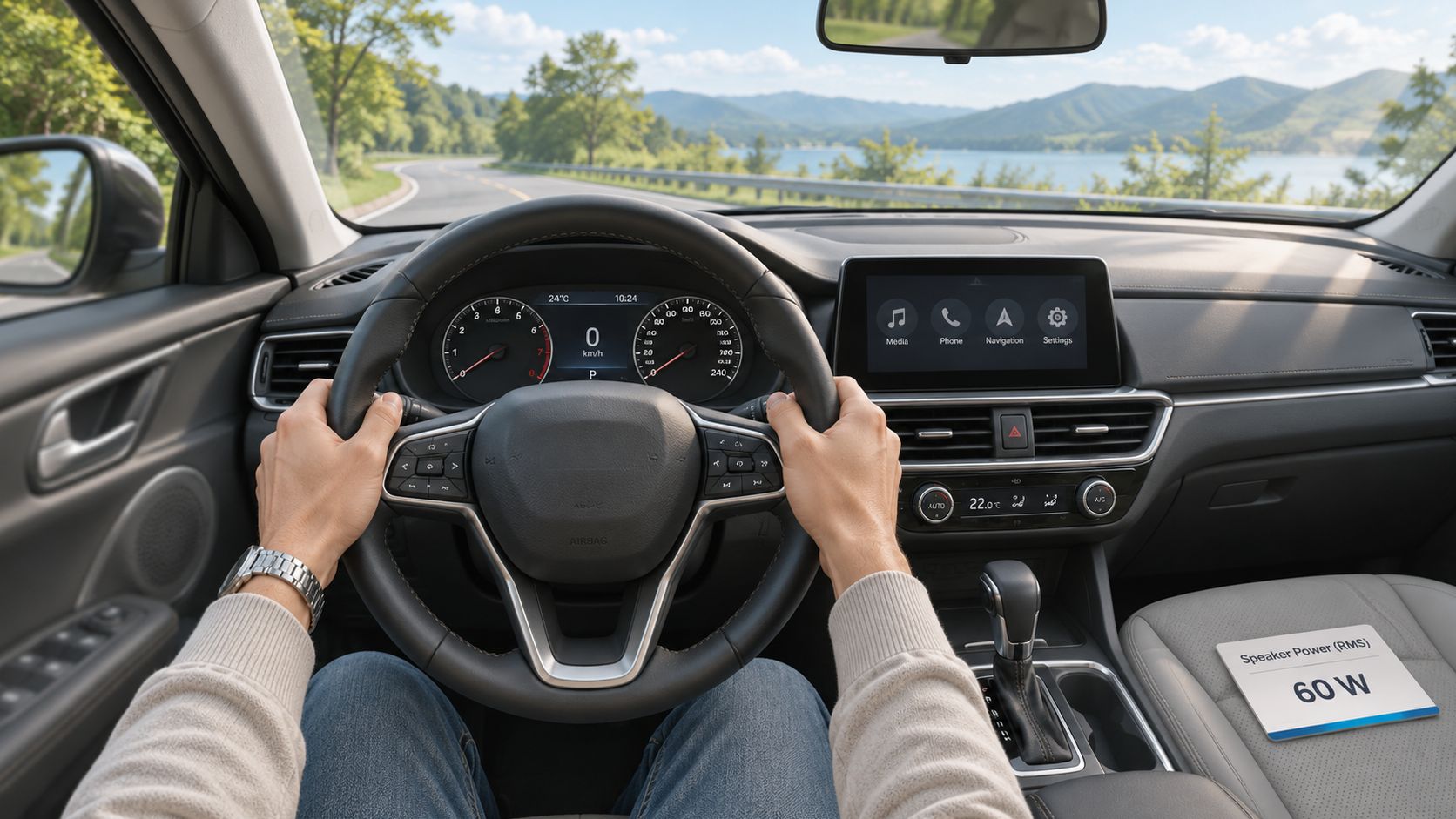
The cabin is the reason. Reflections off glass, seat position and speaker geometry change the result far more than a wattage figure does. The measurement approach the Audio Engineering Society uses for automotive audio accounts for this with a precisely positioned six-microphone array at the driver's seating position, raising the stimulus in 3 dB steps until total harmonic distortion passes a defined threshold, then refining the result in 0.5 dB increments, as described in Listen's technical reprints on automotive audio measurement. Frequency response gets assessed with pink noise, and impulsive distortion with a logarithmic sine sweep.
You can borrow the logic without the lab gear. Play the same familiar track at the same volume setting on the factory unit and on the new one, sitting in the driver's seat. Listen for three things: distortion as the volume climbs, bass that turns muddy rather than deep, and midrange that thins out on voices. If the new unit loses composure before the old one did, it's not an upgrade.
If an amplifier is part of the plan, check the preamp output behaviour rather than the headline power rating. A clean 4-volt signal into an external amp beats a louder internal amp that clips. Tuning comes in a fixed order as well: correct speaker phase and installation problems first, then use equalization to shape what's left. Equalizing around a phase problem just moves the damage.
That listening test looks like this when someone runs it properly in a vehicle.
The rule that follows from all of this is simple. A receiver that clips early or fights the factory amplifier will sound worse than a cleaner, lower-powered unit in the same car, every time.
Smartphone Integration and Driver Attention
A head unit is a safety decision as much as an entertainment one. In an analysis of 2,819 crashes involving diverted attention, 55.5% of reported distractions came from sources inside the vehicle, including interaction with instrumentation such as the radio or wireless phone, according to NHTSA driver distraction research. NHTSA also names adjusting the stereo, entertainment system or navigation system as a potentially distracting activity.
The same body of work puts numbers on the difference between controls. Adjusting the radio carried an odds ratio of 1.9 for crash involvement against a baseline prevalence of 2.2% among observed activities, while adjusting another device such as a touchscreen carried an odds ratio of 4.6. Screen-based interaction is not automatically safer than a knob.
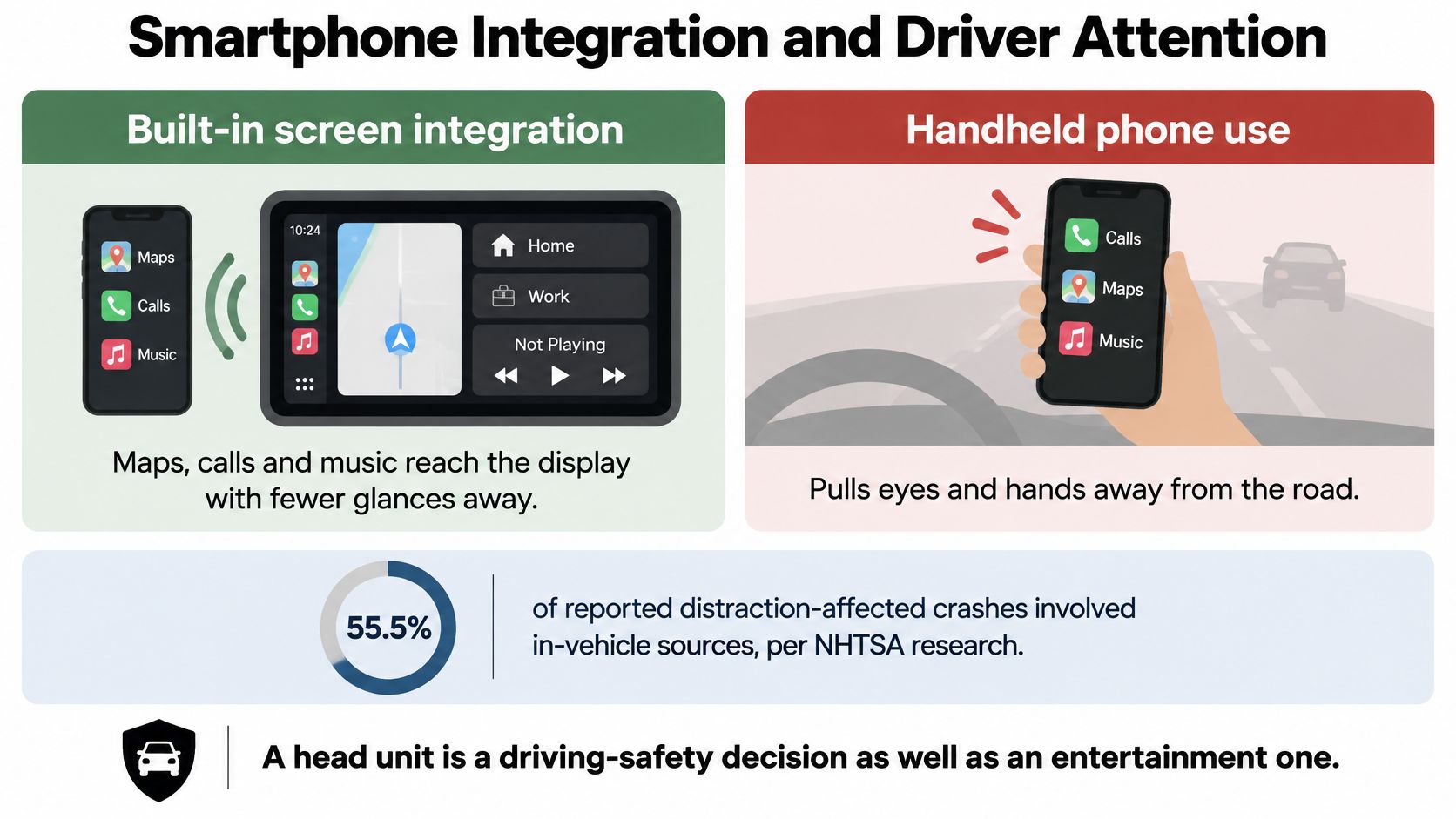
Handheld use remains the bigger problem on the road. NHTSA's National Occupant Protection Use Survey recorded that 4.5% of passenger-vehicle drivers were visibly manipulating handheld electronic devices while driving in 2024, up from 3.0% in 2023, a statistically significant increase, per NHTSA crash statistics. Moving a task onto a built-in screen removes the phone from your hand. It doesn't remove the task.
| Connection | What it does | Attention factor to test |
|---|---|---|
| Wired CarPlay or Android Auto | Phone runs apps on screen over a USB link | Connection stability and mid-trip drops |
| Wireless CarPlay or Android Auto | Phone connects without a cable after pairing | Pairing and reconnection steps before each trip |
| Native infotainment menus | Vendor-specific apps and menus | Number of menu layers between driver and task |
The evidence isn't one-sided in favour of any single platform. IIHS summaries of the research describe lower distraction with CarPlay and Android Auto than with several automakers' native systems, and NHTSA has been developing a study measuring eye movements, task completion, errors and vehicle performance across smartphone-mirroring interfaces. No single ranking is settled, which is why your own test matters more than a spec sheet. Our Apple CarPlay and Android Auto guide covers the setup side of that decision.
Run this test in a showroom or on a trial install: start a navigation route to a specific address and count the screens you touch. Then search for a song by a named artist, then send a voice message. Time each one. Physical knobs for volume and track skip, a reliable microphone and a short menu path all show up in those counts.
The best unit for you is the one that finishes your three most common tasks with the fewest glances at the screen. A larger screen that buries the volume control loses to a smaller one with a knob.
If mirroring your whole phone screen looks tempting, see Comredix's screen mirroring app picks and compare it against the built-in CarPlay or Android Auto interface before you commit, since mirroring typically adds steps rather than removing them.
Privacy, Updates and Software Support
A head unit holds more personal data than most drivers realise. Expect phone contacts, call history, location data, Bluetooth pairings, the contents of any USB drive left plugged in, and any accounts signed in to the unit's own apps.
Before you sell the car or swap the receiver, open the menus and sign out of linked accounts, delete every Bluetooth pairing, and check whether the factory reset clears contacts, pairings and location data rather than just appearance settings. Then turn off wireless services you don't use, such as a hotspot or a wireless projection mode you never touch.
Four questions to put to the maker or installer before purchase:
- Does the maker publish firmware updates for this exact model? Not the brand, the model.
- How is an update installed? By USB, over Wi-Fi, or only at a dealer.
- Does a factory reset clear contacts, Bluetooth pairings and location data?
- Can unnecessary wireless services be turned off?
Support length matters more than app count. A cheaper Android-based unit may offer modern apps but receive irregular patches, while a simpler receiver exposes fewer services and does less. Researchers at the 2025 Pwn2Own Automotive event identified 49 unique zero-day vulnerabilities across automotive systems, including in-vehicle infotainment, and automotive-related CVEs reached 530 in 2024, nearly double the 2019 total, according to VicOne's event recap. Keeping firmware current is the practical mitigation you control.
Choose the Right Head Unit for Your Car
The whole decision collapses into a sequence, and skipping a step is how people end up with a unit that fits but doesn't work.
Fit comes first. Use your measurements from the opening, height and depth behind the trim, then confirm a vehicle-specific dash kit exists for your exact year, make, model and trim. If the opening is double height and the depth is shallow, a shallow-chassis or floating-screen model is the practical choice.
Then rank tasks. Three tasks, fewest taps. That ranking tells you whether you need wireless projection, a physical volume knob or a larger screen, and it usually eliminates half the shortlist on its own.
Add amplification and cameras only for a planned upgrade. A 4-volt preamp output or a built-in amplifier matters when you're adding an amp or replacing speakers. A backup camera input matters when the car doesn't already have a working camera.
Verify the vehicle links before ordering. Walk the compatibility checklist row by row: year and trim, factory amplifier, steering wheel interface, camera retention, parking brake wire and network interface. Every row confirmed, or you ask first.
Check software support. The four questions on update policy and data wiping belong before payment, not after.
Then test sound and attention. Run the same-track listening test in the driver's seat, and time how long it takes to start a navigation route on the new screen.
The concrete next step is a message to your installer containing five details: year, make, model, trim, and the opening size you measured, plus whether your car has factory steering wheel controls and a factory amplifier. Ask for fit and wiring confirmed in writing before the order goes in. Audio Jam Inc handles every vehicle type, from compact sedans and trucks to SUVs and luxury cars, and offers Apple CarPlay and Android Auto integration in Delaware, so that confirmation can happen before anything ships.
Audio Jam Inc installs head units, CarPlay and Android Auto receivers, amplifiers and cameras with vehicle-specific harnesses and dash kits, so the fit, the wiring and the steering wheel buttons all work the way they should on the first trip. If you're weighing a floating-screen receiver against a standard double DIN, bring your year, make, model and trim and we'll confirm what fits your dash before you buy. Visit Audio Jam Inc to book an appointment at the Bear, Delaware showroom or shop receivers online.